Before we start
What is FIDO2?
What is FIDO2 and what role does it play in password security? Learn more now on #explore.
Before we start
What is FIDO2 and what role does it play in password security? Learn more now on #explore.
25 June 2020
There’s a well-known issue with passwords: Simple passwords are easy to crack, but secure ones are hard to remember — this is a problem if, as good sense dictates, you use a different one for every online service. The idea behind the FIDO project is to supplement passwords and, in the medium term, to replace them altogether. Christoph Bayer, IT security expert at TÜViT, explains how the principle works and what makes it different from and safer than previous procedures.
#explore: What is FIDO2?
Christoph Bayer: FIDO stands for Fast Identity Online. The organisation behind this process is the FIDO Alliance, which was formed to facilitate authentication on the Internet – and ultimately to move us away from passwords completely. The problem is that secure passwords are long, complicated and accordingly difficult to remember; they can also be compromised, for example, by a data leak at the provider’s end or a Trojan on your own computer. The FIDO Alliance has developed standards for a secure authentication process. And FIDO2 is the latest collection of the specifications which qualify in this regard.
How does logging in via FIDO2 work?
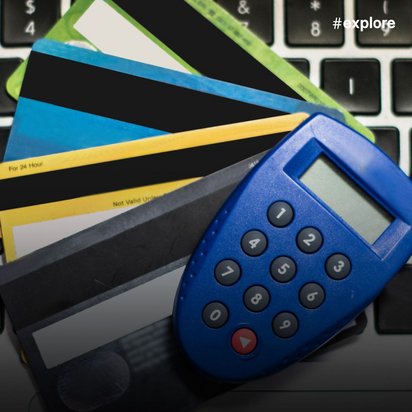
FIDO represents an attempt to mitigate the security problem you get when you’re logging on using local user verification. The user needs what we call a FIDO authenticator, which might be a USB stick, smart card or an app on your smartphone or laptop on which a secret key is securely stored. Using this authenticator, the user starts the process of logging in to his or her e-mail account, for instance, where the process then runs on in the background. There are two different versions of this: A FIDO authenticator can be used as a “second factor” in addition to a user name and password. However, it can also replace the password as the sole factor – if the authenticator is additionally protected by a PIN or biometric factors such as your fingerprint, for example.
FIDO protects against phishing attacks.
Christoph Bayer
IT security consultant
What makes the FIDO approach more secure than the traditional password system?
During the registration process, the FIDO authenticator generates a key pair consisting of a public key and a private (secret) key. The public key is sent to the online service, which later uses it during login to verify that you possess the corresponding private key. The private key is stored only on the FIDO authenticator. As a result, it cannot be compromised by a data breach at your email provider, bank, or another online service. It is also much harder for cybercriminals to gain physical access to your authenticator than to carry out an online attack. Another advantage is that many users still reuse the same passwords across different online services. For example, if an attacker hacks the website of your sports club, they could also gain access to your email account if you used the same password there. FIDO reduces this risk because the authenticator generates a unique, random key for each online service. These keys are independent of one another, so a breach of one service does not affect the others. FIDO also protects against phishing attacks. When you log in to your bank, for example, the bank's server sends a challenge to your authenticator. The authenticator must prove that it possesses the correct private key.
Along with the challenge, information about the sender and the communication channel is also transmitted. This allows the FIDO authenticator to determine whether the request really comes from your bank or from a phishing website. If an attacker intercepts the communication between you and your bank in a man-in-the-middle attack, the authenticator can detect the attack and raise an alert.
What happens if my authenticator breaks and I use it as a replacement for passwords—will I lose access to my online services? If your authenticator is broken or lost, you will no longer be able to log in using the keys stored on it. This is because every FIDO authenticator is unique. It cannot be copied, so it is not possible to create a security backup that you could use in an emergency. For this reason, it is important to register a second authenticator as an alternative login method with your online services as early as possible. This backup authenticator should be stored safely at home.
A FIDO authenticator cannot be copied, so it is not possible to create a security backup that you can rely on in an emergency.
Christoph Bayer
IT security consultant
And what if my FIDO authenticator is stolen from me? Can the thief simply access my accounts?
No, there’s no danger of that. In principle, authenticators have to meet different requirements depending on the purpose for which they’re supposed to be used. If they’re being used as a second factor in addition to the username and password, you usually only have to press a button to start the authentication. This isn’t, of course, much of an obstacle for a thief – but they would also have to know your username and password to get to your online accounts. If the authenticator is intended to completely replace the password login, it must be secured by additional procedures to ensure that only the legitimate user can use it. For example, with the familiar four-digit PIN that you use with your debit or credit card. And, as with the bank card, the authenticator will be blocked if this PIN is entered incorrectly a number of times. Authenticators with built-in fingerprint scanners are even more convenient. If you use your smart phone as an authenticator, this kind of biometric authentication can be carried out using the built-in facial recognition function or fingerprint sensor.
How do I turn my smartphone into a FIDO authenticator?
Many smartphones or computers already have secure elements installed. These serve as key stores and are strictly segregated from the rest of the potentially unsafe laptop or cell phone. The combination of secure elements and an app that implements the FIDO specification turns the smartphone into a FIDO authenticator. The advantage, of course, is that almost everyone now uses a smart phone. So, you wouldn't need an additional device like a USB stick or a smart card to log in via FIDO.
How is the security of these authenticators verified and ensured?
The manufacturer has to put the authenticator through appropriate compliance tests to demonstrate its functionality to the FIDO Alliance. The IT security of authenticators, for example, is examined at our testing centre. Depending on the desired level of security, we subject the authenticators to increasingly extensive and complex tests: For example, we check whether the power consumption during the login procedure might allow a hacker to work out which keys are being used. Or we try to generate errors in the device by changing voltages or hitting it with laser fire, which may in turn allow us to draw conclusions about the security keys. For authenticators with a correspondingly high security level, we also check the source code for vulnerabilities. Depending on the level of security, such a review process will take between two and six months. If all our tests and analyses don’t reveal any security vulnerabilities, the manufacturer will get a certificate for their authenticator from the FIDO Alliance.
Can I already use FIDO2 as a password replacement for all popular online services?
Logging in without a password already works with Microsoft.com and corresponding Microsoft services such as Outlook, Office 365 and OneDrive. In addition to a hardware key in the form of a USB stick, you can also use Microsoft's authentication technology, “Windows Hello”, which has now been certified as an official FIDO2 authenticator. For a lot of other services, such as Google, Dropbox or Twitter, you can set up FIDO2 as a second factor.
Will FIDO render passwords superfluous in the medium term?
The big tech companies are really interested in this system, whatever the outcome. The FIDO Alliance counts Microsoft, Google, Samsung, Facebook and Amazon among its members, along with payment card providers like VISA and Mastercard and online payment service PayPal. Since January 2020, the Apple group has also been officially involved and has gradually improved FIDO2 support for its smart phones and tablets over the past year. The extent to which FIDO moves into our everyday lives will depend, of course, on whether individual providers such as e-mail providers or banks allow authentication via FIDO.
This is an article from #explore. #explore is a digital journey of discovery into a world that is rapidly changing. Increasing connectivity, innovative technologies, and all-encompassing digitalization are creating new things and turning the familiar upside down. However, this also brings dangers and risks: #explore shows a safe path through the connected world.